


Top 10 Emerging AI Presentation Generators
AI Presentation Generator automates design & content, unloads formatting tasks, and delivers quickly. However, it comes in different shapes and sizes, with various features.
AI trends in creating presentations are transforming how we approach this essential task. They are now capable of automating much of the presentation design process, from generating slide layouts to suggesting relevant content based on keywords or input text. Thus, generating AI presentations allows users to focus more on crafting their message and less on repeatedly manual formatting tasks.
AI expands its application to creating presentations to make the process smarter, faster, and more tailored to your needs. Here are some AI tools that exemplify these trends.
1. uPresenter.ai – Next Generation for AI Presentations & Quizzes
This is the next-generation AI-driven tool to create presentations and quizzes. uPresenter offers an impressive array of colors, themes, and fonts, all with auto-layout capabilities that take the hassle out of formatting and aligning content.
This lets you focus on what matters most: your message delivery.
The standout feature is how quickly it generates a complete presentation— within seconds. Few tools offer this speed, making it a useful option for those who need to produce content quickly.
The auto-layout feature handles most formatting work, saving time that would otherwise be spent tweaking the design. While the design options aren’t limitless, they are sufficient for creating a polished presentation without much manual effort.
But that’s not all. uPresenter is designed with collaboration in mind, allowing teams to work together seamlessly and share their creations with ease.
Its advanced reporting features provide valuable insights into viewer engagement, tracking who viewed each slide, their answers, last accessed date, and even setting passing scores. It goes beyond the definition of a standard AI presentation, becoming an AI-powered tool for presentations with quizzes.
For anyone looking to save time while delivering high-impact presentations, it could be the game-changer you’ve been waiting for. See an overview of uPresenter

Features
- Create presentations with quizzes in 30+ languages
- AI Chatbot
- Collaborate with teams
- Full spectrum slide analytics
- Download to PDF & xAPI
Free plan: In the beta version, uPresenter is giving 500 credits for each new signup account.
2. Wonderslide
Another standout feature is its integration with popular platforms like PowerPoint. This means that even if the slides are generated by the AI, they can still be fine-tuned or adjusted within familiar environments.
With that in mind, this AI presentation generator allows you to avoid wasting time on tedious tasks like fixing icons or images. It’s also beneficial for users who lack design skills but still need polished, cohesive slides.
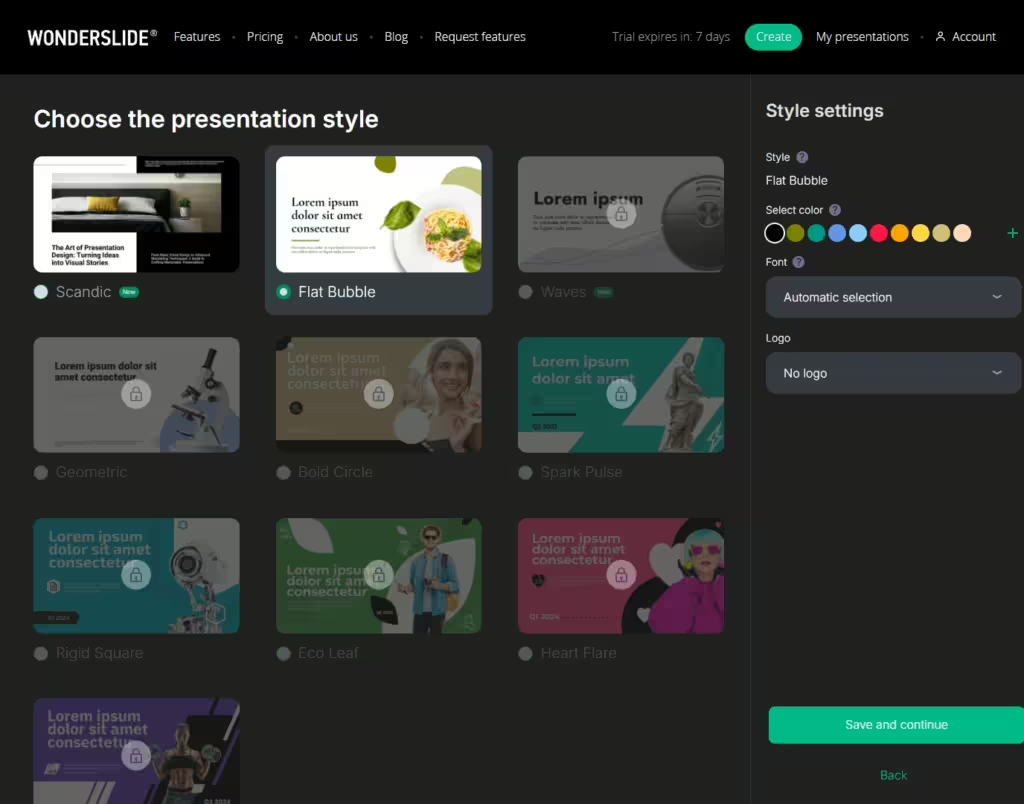
Features:
- Create a presentation from existing PPT or scratch
- Allow to share with others
Free plan: 3 presentations, picture watermarks in 7 days
3. Autoslide AI Presentation Generator
Autoslide owns the decent features of what is called an AI presentation generator. Insert your prompt request, and select visual mode (dark or light)
While Autoslide.ai may not be the most feature-rich presentation tool on the market, its AI-driven approach to slide creation and optimization sets it apart from more traditional presentation software. For professionals or individuals looking to streamline their presentation workflows, Autoslide.ai may be a tool worth considering.
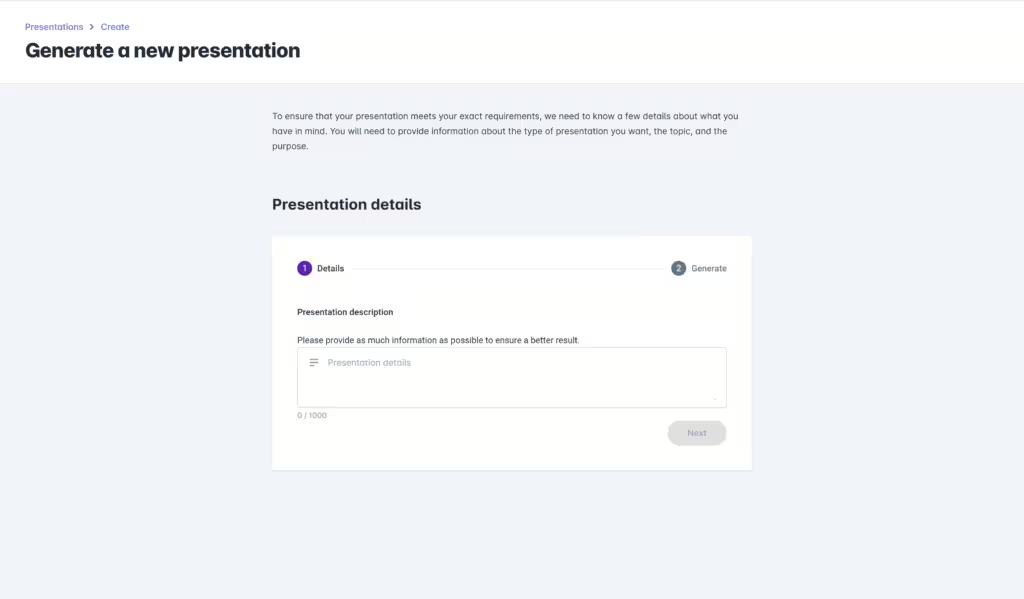
Features
- Export to Google Slides, PowerPoint & PDF
- Allow to choose appearance to view presentations
Free plan: Not available at the moment
4. SmartSlide.ai
The tool also boasts a robust set of collaboration and presentation features. Users can easily share their slides with colleagues, allowing for others’ editing and feedback.
Smartslide.ai’s integration with popular productivity suites, such as Microsoft PowerPoint and Google Slides, further enhances its functionality. Users can seamlessly import their existing slide decks and leverage the AI-driven features to refine and optimize their presentations.
While the tool’s performance and accuracy may vary depending on the complexity of the content and the user’s specific needs, Smartslide.ai presents a compelling solution for those seeking to enhance their presentation capabilities. Its user-friendly interface and diverse set of features make it an intriguing option for everyone.

Features
- Share in various formats: PDF, PowerPoint, Google Slides
- AI chatbot
Free plan: 10 slides, 1 template.
5. SlidePilot
Its primary feature is the ability to generate complete presentation decks from text prompts or structured data. Users input content, and the AI handles the rest, producing slides that are well-organized, visually appealing, and consistent in style.
The tool integrates with popular platforms like PowerPoint and Google Slides, allowing seamless export and further customization. This makes it convenient for those who are already accustomed to using these platforms but seek a more efficient way to create presentations.
It’s particularly useful in corporate settings where time is often limited, and the demand for polished presentations is high. However, for those who prefer full control over every aspect of their slides, you need to switch to Google Slides or PowerPoint for continuous work.
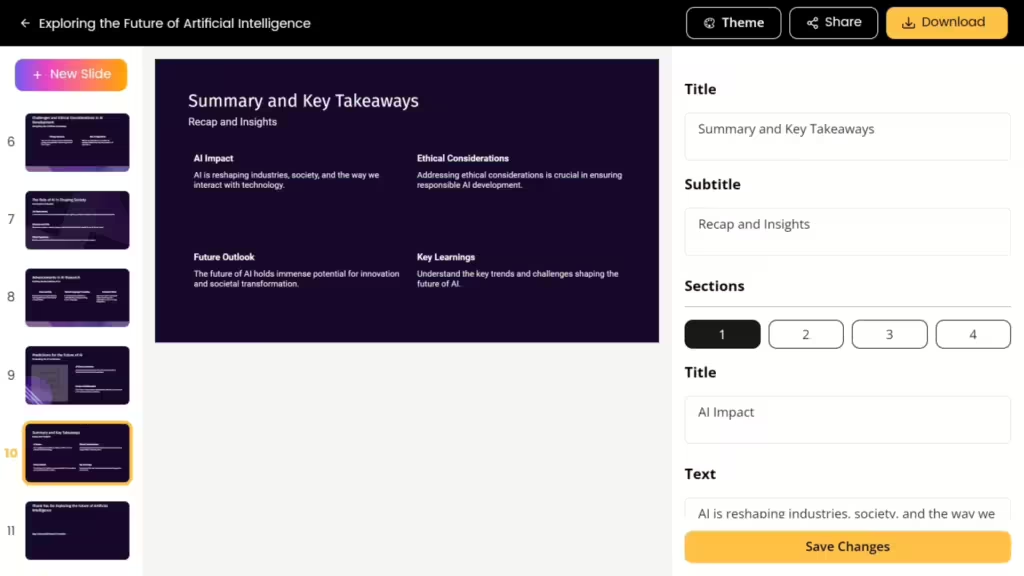
Features
- PowerPoint & Google Slides Integration
- AI Summarizer
- Voiceover AI
- Convert PDF to PPT
Free plan: 1 presentation, 3 AI image generations, 10 AI Pilots (Chat/New Slide/AI Write/Speaker Note)
6. SlideSpeak
The platform’s thoughtful design and responsive layout make it easy to navigate, empowering users to focus on content creation rather than being bogged down by complex features. A bonus point for Slidespeak’s user-friendly look and feel.
Slidespeak enables the creation of dynamic and up-to-date presentations. It can also summarize documents, such as PDFs and Word files. Afterwards, you can use the extracted information to create presentation slides, saving users significant time and effort in the preparation process.

Features
- Fonts & color setup for brands (paid features)
- AI summarize from PDF, Docs
- Create presentations from files & AI
- Allow to share and download to PPT
Free plan: 1 file upload, ask unlimited questions.
7. PresentationGPT
This type of AI presentation generator gives us an overall “good enough” feeling. It does not require signing up/logging in first hand, giving time and space for the users to explore. However, the diversity of themes needs to be updated and should leave more control over the presentation to users.
By automating the time-consuming aspects of slide creation and enhancing the overall presentation quality, PresentationGPT allows users to focus on the substantive content and delivery, ultimately leading to more engaging and impactful presentations.

Features:
- Generate presentations in 10 languages
- Work with PowerPoints & Google Slides
- Able to share
Free plan: Create unlimited presentations but need to pay to unlock all presentations.
8. Pptx.ai
This type of AI presentation generator originates from the idea of turning tedious, wall-of-text PDFs or Docs into digestible PowerPoint presentation formats. Though the themes are limited in quantity, it does not have any effect on its quality.
Among the flood of AI tools, Pptx.ai narrows down its niche, focusing on turning complicated things into something easy to understand. It meets the expectations as a valuable time-saving tool to quickly transform existing PDF content into high-quality PowerPoint presentations.

Features
- Drag and drop PDF, Word Docs
- Add (famous) speaker notes style (paid feature- $19)
Free plan: Not available
9. MagicSlides
MagicSlides.app is an AI presentation generator designed to streamline the process of creating presentations. It’s an intriguing option for those who regularly work with content from different formats and need quick, automated solutions.
The feature to convert YouTube videos to PPT is particularly useful for educators, content creators, and professionals who often rely on video content. It extracts key points from videos and generates a slide deck based on the content. However, it only allows Youtube 3-4 minutes length, and users have to wait more time than expected for it to process

Features:
- Convert YouTube video to PPT with AI
- Convert PDT, Docs to PPT
- Google slides add-on
Free plan: 3 Presentations/month
10. Decktopus
Decktopus is carving a niche in the presentation landscape by offering an efficient blend of usability and collaborative functionality. It’s designed to streamline the creation process, making it appealing for those who value time without sacrificing quality.
The interface feels intuitive, minimizing the learning curve. This feature is particularly beneficial for those who frequently build presentations and need a tool that doesn’t require constant tinkering. Every component, whether text, image, or chart, can be placed exactly where needed, reducing the friction commonly associated with presentation design.

Features:
- Create AI presentation with drag-n-drop editor
- Categorize & assign team roles according work.
Free plan: Not available
Last Words
As AI presentation generator tools continue to evolve, the future of creating visual content is more automated and efficient than ever before. These cutting-edge solutions therefore would streamline the entire presentation workflow – from ideation to design to delivery.
However, as you explore the top next-gen AI presentation generators, it’s important to note that not all tools are created equal. While many excel in automating design and content creation, features like slide analytics can be crucial for refining your presentations. Analytics help you understand audience engagement and improve your effectiveness, offering data-driven insights that simple automation can’t provide.
For advanced presentation analytics that reveal deep insights into audience engagement, be sure to try out the AI-powered uPresenter.
AI Presentation and Quiz Generator: Create eLearning Courses in Seconds
In today’s fast-moving digital world, the need for innovative and efficient tools to create online quizzes and presentations has skyrocketed. This is where the AI presentation and quiz generator comes in. It uses artificial intelligence to make creating quizzes easier, faster, and more effective than ever before. This blog post highlights the benefits of an AI presentation and quiz generator and how to choose the best one.
What is an AI Presentation and Quiz Generator?
An AI presentation and quiz generator is a tool that uses artificial intelligence to help you create presentations and quizzes quickly and easily. You provide basic information or topics, and the AI does the rest. It makes slides with text, images, and questions that match your topic, saving you time and effort. Whether you’re an educator, a corporate trainer, or a content creator, this AI tool is useful for you.

Benefits of Using an AI Presentation and Quiz Generator
An AI presentation and quiz generator can make your work easier and faster. Here are some benefits:
Efficiency and Time Saving
Creating presentations and quizzes the old way takes a lot of time. You have to come up with texts, images, questions, format them, and check everything yourself. With an AI presentation and quiz generator, it’s much faster. You just give the AI some information, and it makes the quiz for you in minutes. This saves you hours of work.
Professional Look
Making slides look good can be hard, especially if you’re not a graphic designer. AI presentation makers have many professional templates you can use. Just pick a template that fits your content and customize it. With AI, you can create impressive presentations without being a design expert.
Intelligent Content Creation
Creating good content is key to a successful presentation. AI presentation makers can help by analyzing your text and giving smart suggestions to improve it. They can make your content clearer, easier to read, and more powerful. Use AI’s smart tools to refine your message and keep your audience engaged.
Enhanced Engagement
AI can make quizzes more interesting by creating different types of questions. It can make multiple-choice questions where you pick the right answer from a list. It can also create true/false questions where you decide if a statement is correct or not. Additionally, AI can make short answer questions where you write your own answer. Having a mix of these question types keeps the quiz fun and engaging.
Checklist to Choose the Best AI Presentation and Quiz Generator
Choosing the right AI presentation and quiz generator can make a big difference in the quality of your work and the time you save. Here are some simple tips to help you pick the best tool for your needs.
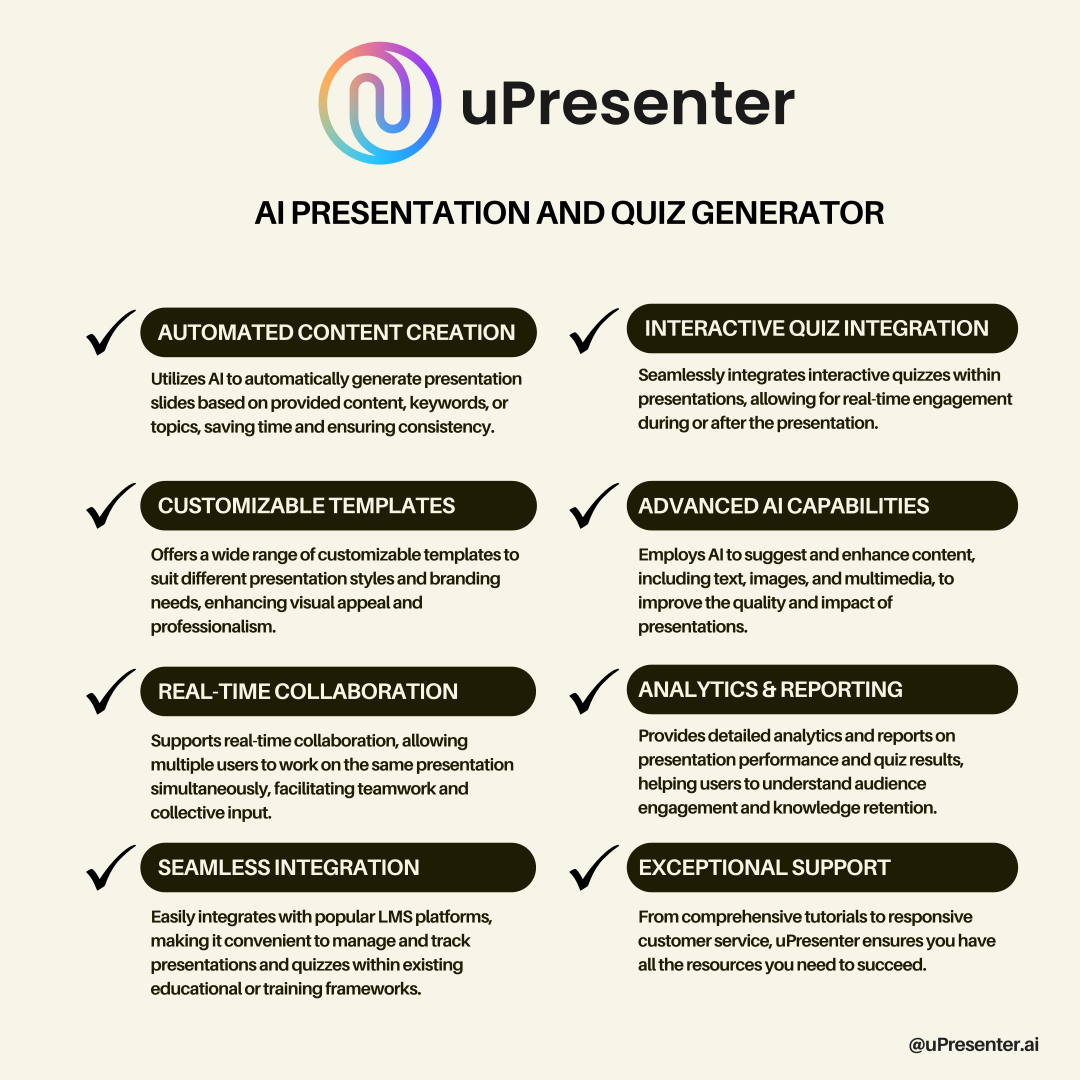
Ease of Use
A good AI generator should be simple to use first. It will have clear instructions and an easy-to-follow layout. Even you don’t know much about designing knowledge, you can create stunning and engaging presentations and quizzes in no time.
Customization Options
The customization options include changing themes, fonts, colors, layouts, and more, reflecting your unique brand and style in your presentations.
Template Variety
The top tools should have a wide range of customizable templates allowing you to tailor them to your content and style. This feature helps you create polished and attractive presentations.
Question Variety
The AI should be capable of generating a diversity of question types including multiple-choice, true/false, and short-answer questions. Having a mix of question types makes quizzes more interesting and effective.
Collaboration Tools
If you need to work with others on presentations, picking an AI presentation and quiz generator has the collaboration feature is a good idea. You and your collaborators can work on the same presentation at the same time, share feedback, and keep track of changes.
Analysis Tools
Select a tool that includes data analysis features. This capability lets you monitor learners’ performance and pinpoint areas needing improvement. Effective data analysis can enhance the overall learning experience.
LMS Integration
If an AI presentation generator has the ability to generate quizzes in one tool then its outputs should be compatible with Learning Management Systems (LMS). This integration allows seamless access to course materials, automatic grading, and tracking of learner progress. Additionally, learners can evaluate their performance once the course is finished.
Customer Support
Good customer support is essential. Check if the tool offers help through tutorials, FAQs, and customer service. This can be very useful if you encounter any problems or have questions.
Introducing uPresenter: The Future of AI-Powered Presentations and Quizzes
uPresenter is an AI presentation and quiz generator that meets the checklist perfectly. It is a cutting-edge platform designed to revolutionize how you create and deliver presentations and quizzes.
How to Use uPresenter to Generate Presentations and Quizzes
Creating quizzes and presentations with an AI presentation and quiz generator like uPresenter is straightforward. Follow these steps:
1. Input your topic: Start by entering your topic and any specific criteria for your presentation.
2. Define the type of the presentation: Choose to generate the presentation with slides only or with quizzes only, or both.
3. Select a template: Select a template from the library to fit your topic. You can also review the content layout in each template.
4. Customize the presentation: Further edit the presentation elements with simple controls. Change text or image with built-in AI prompt. It’s possible to invite others to edit the presentation simultaneously.
5. Publish and share: Once satisfied with your presentation, publish it and share it with your learners.
6. Analyze results: Track the learners’ performance in the Score & Reporting dialog and gain insights.
Last Words
Ready to get started? Explore the possibilities with an AI presentation and quiz generator and transform the way you create and manage quizzes and presentations. If you’re ready to revolutionize your quiz creation process, consider trying out a leading AI presentation and quiz generator like uPresenter and share your experiences!
See Also:
Introducing uPresenter: The Future of Presentation and Quiz Creation
uPresenter: An Ultimate Guide for Beginners
Connect with us on social media to stay updated with the latest news!
- YouTube: uPresenter
- Facebook: https://www.facebook.com/upresenter
- Twitter/X: https://x.com/upresenter/
- Community: uLearnBox